Improving JAMstack hosting for Azure with create-azure-app
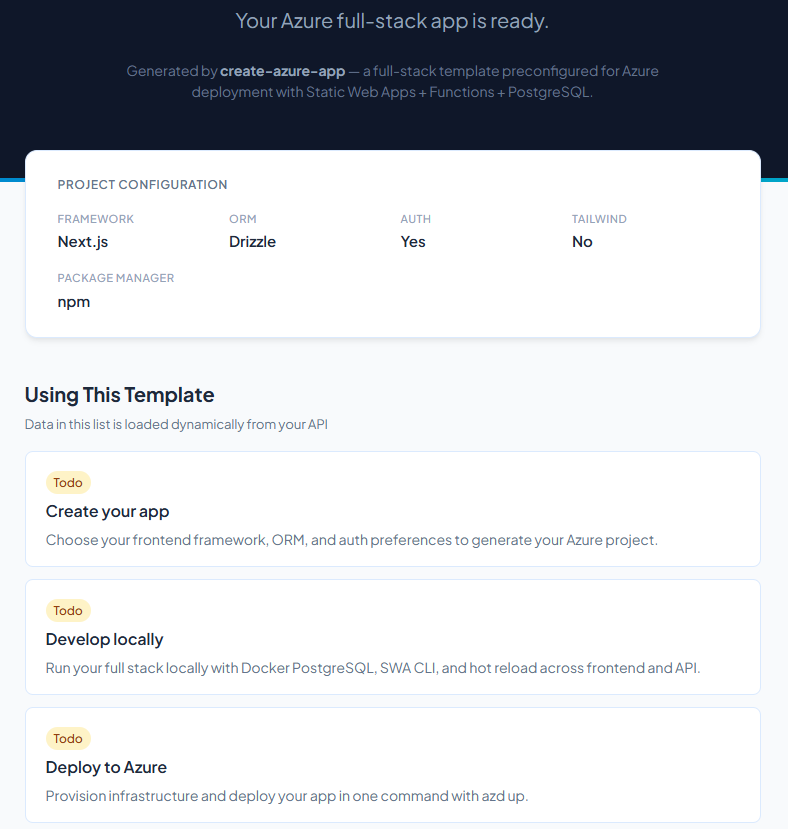
Streamlining the onboarding experience for JAMstack apps on Azure — CDN hosting, PR previews, one-command deploys. I built a CLI to wire it all up for you.
JAMstack (short for JavaScript-API-Markdown) is an architectural approach for web development that has gained huge popularity over the past 5+ years.
When I talk to the JAMstack community lately a common theme emerges: whenever a developer is building something new (a side project, an internal tool, a product MVP), they reach for hosting platforms like Vercel or Netlify instinctively. Their target Production environment may still be Azure or another IaaS/PaaS provider, but these specific platforms have offered a strong onboarding story which abstracts away complexity that you don’t need in the early days of building apps.
You run one command and you get a live URL. It updates each time you push new code into GitHub, with PRs getting preview deployments automatically. It just works, and that experience is genuinely impressive.
The thing is, Azure has all the same building blocks. Static Web Apps gives you CDN-backed hosting, managed serverless functions, built-in authentication, and PR preview environments out of the box. The Azure Developer CLI gives you one-command provisioning and deployment. But nobody hands you a project that wires all of that together, and you often must figure it out piece by piece.
That’s what led me to build create-azure-app to bridge that gap.
What good looks like for application onboarding
Before explaining what create-azure-app does, it’s worth recapping the key elements of this developer experience:
- Zero infrastructure to provision: Your project is hosted without you manually configuring servers.
- PR preview URLs: Every pull request gets its own live environment.
- CI/CD out of the box: Push to main and it deploys. No custom pipeline authoring.
- No clunky secret management: Environment variables live in your app’s dashboard.
The trade-off with something like Vercel is that it locks you into their ecosystem, and their backend story is limited. The moment you need a database, a different API layer, or enterprise auth, you’re back to stitching things together manually.
Azure Static Web Apps offers a similar frontend experience, but the setup friction has historically been high enough to turn some newer developers off.
The key Azure services for JAMstack
There are two pieces of the puzzle that can make a Vercel-like Azure experience possible:
Azure Static Web Apps (SWA) is the obvious one. It’s been around since 2021 but still underappreciated. Out of the box you get:
- Global CDN hosting for static frontends
- Managed Azure Functions for your API layer. Same deployment, no separate App Service
- PR preview environments where every PR gets a unique staging URL, automatically removed on close
- SWA Easy Auth that adds Entra ID or GitHub login into your app with zero auth code
The Azure Developer CLI (azd) is the other half. If you haven’t read my previous post on AZD, the short version: azd up provisions your infrastructure from Bicep and deploys your app, all in one command. It handles PostgreSQL, Key Vault, Application Insights, Managed Identities, and all the integrations between them.
Put these two together and you have the pieces of a seamless JAMstack onboarding experience. The missing part was a project generator that set it all up correctly from day one.
Enter create-azure-app
The idea is simple: provide a template generator similar to create-next-app or create-t3-app for Azure.
npx create-azure-app my-app
You answer a few quick questions:
| Option | Choices |
|---|---|
| Frontend framework | Next.js, Vite + React, SvelteKit |
| PostgreSQL database | Yes / No |
| ORM | Prisma, Drizzle |
| Authentication | Entra ID / None |
| Tailwind CSS | Yes / No |
| Package manager | npm, pnpm, yarn |
And what you get is a customised deployable project:
my-app/
├── azure.yaml
├── infra/
│   ├── main.bicep
│   └── modules/
├── src/
│   ├── web/
│   └── api/
│       └── src/functions/
├── .github/workflows/
│   ├── deploy.yml
│   └── provision.yml
└── swa-cli.config.json
The local dev story is handled by SWA CLI and Azure Functions Core Tools, which proxy everything through http://localhost:4280:
npm run setup    # installs deps, starts Docker Postgres if DB enabled, seeds data
npm run dev      # SWA CLI: frontend hot reload + Functions + auth emulator
Deploying to Azure in three commands
Once you’ve built something locally, getting it live is:
azd auth login
azd up
When it’s done you have:
- A Static Web App serving your frontend from Azure’s CDN
- Azure Functions handling API requests (bundled with SWA, so no separate hosting)
- PostgreSQL Flexible Server with your ORM migrations applied (if you enabled it)
- Key Vault holding your database connection string
- Application Insights collecting telemetry
The whole thing from npx create-azure-app to a live Azure URL takes about ten minutes on a good connection.
PR previews and CI/CD
Because SWA has PR preview environments built into the platform, every pull request automatically gets a dedicated staging URL, and it’s torn down when the PR closes. No configuration required on your end; the generated deploy.yml handles it.
The CI/CD setup uses OIDC authentication, which azd pipeline config handles in one command:
azd pipeline config --provider github --auth-type federated
Want to try it out?
The CLI itself is in early beta phase now, so if you want to kick the tyres the repo is at github.com/benleane83/create-azure-app. Issues and PRs welcome. Feel free to adapt it to fit your own stack, and there’s an example template uploaded at github.com/benleane83/azure-swa-nextjs-postgres if you want to preview the output.
If you’ve been defaulting to other JAMstack hosting because Azure felt too complex to set up, try this out. It might surprise you!